
How to Convert AI Search Traffic Into eCommerce Sales: 7 Ways That Work

- How Can You Make Your eCommerce Site Ready for AI-Driven Buyers?
- What Can You Do to Turn AI Search Visitors Into Product Shoppers?
- Which Conversion Elements Matter Most After An AI Search Visit?
- How Can You Reduce Friction Between AI Discovery and eCommerce Checkout?
- What Should eCommerce Brands Know About fastrr Checkout?
- Conclusion
The path from product discovery to purchase is changing. A shopper can now ask an AI tool which product suits a particular need, compare several options and arrive at a store with much of the initial research already done. For you as a seller, that makes the experience after the click just as important as getting the visit in the first place.
Reports suggest that AI-referred traffic to US retail sites converted 54% better than non-AI traffic in May 2026. These visitors also spent 53% more time on retail sites and viewed 23% more pages per visit.
If you want to convert AI search traffic into eCommerce sales, your product pages and checkout need to make that journey easy to continue. Here are seven ways to do it.
How Can You Make Your eCommerce Site Ready for AI-Driven Buyers?
Way 1: Keep Product Information Clear and Answer Buying Questions
Give each product page the details a shopper needs before ordering. Include the product name, key features, size, material, available variants, price, stock status and relevant usage information.
Then answer common questions on the same page. Depending on the product, that could include sizing, compatibility, ingredients, warranty, delivery, returns or payment options. A short FAQ can help when the answers are specific to the product.
Avoid vague claims such as “premium quality” when a specific detail would tell the shopper more. Keep prices, stock and delivery information updated as well. An AI-referred visitor who finds outdated information may leave even when the product is a good match.
What Can You Do to Turn AI Search Visitors Into Product Shoppers?
Way 2: Send Visitors to The Right Page and Make The Next Step Clear
Do not send every AI-referred visitor to your homepage. If someone is looking for a particular product, link to that product page. For a broader search, a relevant category page may be more suitable.
The page title and opening content should match what brought the visitor there. Keep the buy or add-to-cart button easy to find, show variants clearly and avoid making shoppers open several menus before continuing.
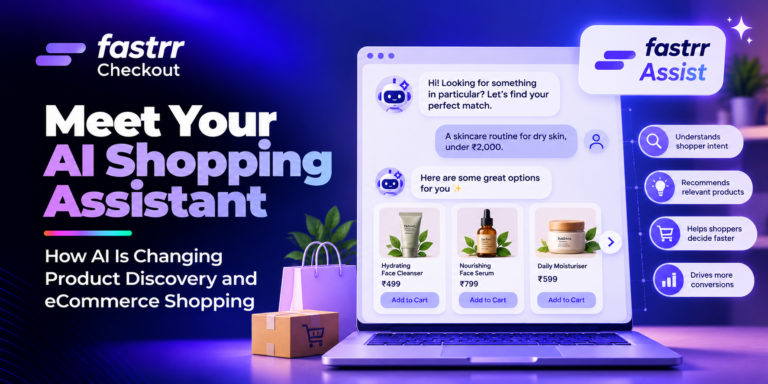
If a product needs more explanation, provide help on the page. A shopping assistant can answer product questions and help visitors find the right item without sending them back to search.
Which Conversion Elements Matter Most After An AI Search Visit?
Way 3: Put Price, Delivery, Reviews and Payment Information Within Easy Reach
Give visitors useful information to work with while they are there.
Make the following easy to find:
- Price: Show the current price and applicable delivery charges or conditions.
- Delivery: Give an estimated delivery date where available.
- Reviews: Use genuine reviews that help shoppers assess quality, fit or usage.
- Returns and refunds: Explain the applicable process in simple and easy language.
- Payment: Show available options such as UPI, cards and cash on delivery (COD).
You do not need to place everything at the top of the page. The details should be easy to reach when a visitor is deciding whether to order.
How Can You Reduce Friction Between AI Discovery and eCommerce Checkout?
A visitor can find the right product and still leave during payment. Checkout should remove unnecessary work rather than add another round of decisions.
Way 4: Keep Checkout Short and Mobile-Friendly
Ask for the information required to process the order and avoid unnecessary fields. Address pre-fill, simple login options and saved details can reduce typing, especially on mobile.
Check the journey on an actual phone. Buttons should be easy to tap, fields should be clear, and payment options should not be difficult to locate. A lengthy checkout can undo the work done on the product page.
Way 5: Give Clear Payment and Delivery Choices
Show payment methods clearly and provide an estimated delivery date where available. For COD orders, sellers can also apply rules based on factors such as order value, destination or product.
fastrr Checkout supports custom rules for COD charges, prepaid discounts, shipping charges, COD visibility and partial COD. These rules can be applied using criteria such as product, destination pincode, invoice value, UTM parameters and phone number.
Way 6: Give Shoppers a Second Chance After Checkout Drop-Off
Not every abandoned checkout means the shopper has rejected the product. A payment interruption or an unfinished session can leave an otherwise interested visitor without completing the order.
fastrr Checkout supports an “Abandon Cart” webhook that can be used to track cart abandonment events, giving sellers another way to work with shoppers who leave before completing a purchase.
Way 7: Use Checkout Data to Find Where Sales Are Being Lost
Checkout data can show where visitors stop before placing an order. If shoppers reach payment but do not complete the purchase, review the payment options and information shown at that stage. If they leave after entering an address, check the address experience and delivery details.
What Should eCommerce Brands Know About fastrr Checkout?
fastrr Checkout brings several checkout functions into one system. It offers 95% address pre-fill, 70% faster checkout, a 30% reduction in return-to-origin (RTO), and 25% less cart abandonment through its checkout and discount capabilities.
For sellers, relevant features include:
- Address pre-fill and faster login: Reduce the amount of information shoppers enter manually.
- COD controls: Configure COD charges, disable COD for selected criteria, offer COD-to-prepaid discounts or use partial COD.
- Payment settings: Choose the payment methods displayed to shoppers through configured payment gateways.
- Delivery settings: Configure rush, express and standard shipping options with different estimated delivery timelines.
- Abandoned-cart support: Fastrr Checkout documentation includes abandon-cart webhooks, while its dashboard guide connects its discount engine and payment links with reducing cart abandonment.
Conclusion
AI search can bring shoppers to your store with a specific product or question already in mind. What happens after that visit depends on how clearly your pages answer their needs and how much work your checkout asks them to do.
Start by reviewing your product information, landing pages and mobile checkout from a shopper’s point of view. Remove unclear details, unnecessary steps and surprises around payment or delivery. Then use your checkout data to see where visitors are leaving.
Fastrr Checkout can support this final stage with address pre-fill, payment controls, delivery settings and checkout tracking.